

Speeding up kernel development with QEMU
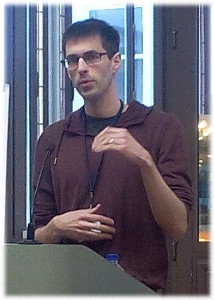
When developing the Linux kernel (be it core components or drivers), it is the tasks of deploying, testing, and debugging that represent a large portion of the work—if not the most time-consuming part. At Kernel Recipes 2015, Stefan Hajnoczi gave a talk about the QEMU hardware emulator and explained how it can help speed up the process. For example, QEMU's GDB stub provides an efficient way to debug the kernel, while QEMU's device emulation facilitates the development and testing of device drivers.
Why QEMU?
Hajnoczi started his presentation by comparing ways to deploy and test Linux kernels.
He first presented the "in situ" debugging approach, where the kernel is deployed and tested directly on the development machine. An example of this would be loading a module under development directly into the kernel that the computer is running. There are two dimensions to considering such an approach. As one can imagine, an unstable or broken module can crash the machine and result in lost work. Furthermore, such a crash seriously disrupts the development workflow, because the computer has to reboot and the session must be restored. The second dimension concerns debugging the kernel; as Hajnoczi pointed out: "KGDB and Kdump cannot be 100% reliable since they share the environment" (i.e. because they are part of the potentially broken system).
The "ex situ" debugging approach requires an additional machine. In a way, he argued, it is better than the previous approach because the test machine can crash without bringing down the development environment with it. However, deploying the kernel and running tests is more cumbersome. In the most commonly encountered setup, the test machine boots over the network via PXE (Pre-boot eXecution Environment). Right after being powered on, the test machine obtains an IP address via DHCP from a PXE server and downloads the binary image it is supposed to boot using TFTP (Trivial FTP). It thus involves this special PXE environment to be installed and set up, most likely on the development machine, which is not necessarily easy.
In terms of debugging, it is possible to connect the development machine to the KGDB infrastructure of the kernel running on the test machine via a serial connection. Collecting crash dumps from the test machine and examining them later on the development machine is also possible. However, these software tools cannot inspect and debug everything, especially when it comes to the interaction between the kernel and the various hardware components (or to debug the early boot code that runs before KGDB is up and running). In such cases, debugging may require complex on-chip instrumentation, such as JTAG. It is also worth mentioning that a test machine is another computer to take care of and probably not one that travels well, making this type of debugging even less practical.
As Hajnoczi noted, "virtual machines are the best of both worlds." Since a virtual machine is a user-space application running on the development machine, it is easy to start and stop, and if ever the kernel running in it crashes, the development machine will not be affected. A virtual machine gives full access to the memory and processor state, and it is much more versatile than a test machine since it can emulate different processor architectures. Furthermore, the hardware in the virtual machine is fully programmable, which provides ways to easily add new or custom devices and to extensively test the corresponding software (e.g. device drivers) by using error-injection techniques.
Overview of QEMU
QEMU is a machine emulator and virtualizer. It can emulate obscure processor architectures as well as more mainstream ones (a total of 17 processor architectures are currently supported). When used as a machine emulator, typically in a cross-architecture setup (e.g. emulating an ARM-based guest system on an x86 host computer), QEMU dynamically translates the guest code into native code for fast execution on the host. When the guest and the host share the same architecture, QEMU is often able to provide near-native performance by using KVM, which allows the guest code to run directly and safely on the host processor without being translated first.
In order to provide guest access to the hardware (e.g. devices), QEMU usually catches the accesses from the guest and performs them on the host on behalf of the guest. For example, guest access to a hard disk can typically be emulated by reading or writing a file on the host computer that contains a full filesystem. For better performance, it is also possible to create a PCI or VGA pass-through, using the VFIO kernel support. The guest is then able to directly access real hardware devices without emulation. QEMU provides the ability to trace the I/O accesses in order to debug the communications between the guest and the hardware.
Booting and testing
The command line parameters for QEMU resemble those of a bootloader, making them easy to understand. For example, the following command starts a development kernel on an x86-64 guest, specifying the paths to the kernel and the initramfs image. It also shows how to append an extra kernel parameter:
    qemu-system-x86_64 \
	-kernel vmlinuz \
	-initrd initramfs.img \
	-append param1=value1
When testing a development kernel, there is often no need for a full-featured root filesystem and, as Hajnoczi explained, initramfs is perfect for containing small test applications and loadable kernel modules. An initramfs image is built using gen_init_cpio, a tool already included in the Linux source tree. The content of such an image is specified by a simple description file that defines which files, directories, device nodes, and symbolic links should be part of the filesystem image. The following example shows how to build a basic initramfs image:
    $ cat initramfs_desc
    file    /init           my-init.sh    0755 0 0
    dir     /bin                          0755 0 0
    nod     /dev/zero                     0666 0 0 c 1 5
    file    /sbin/busybox   /sbin/busybox 0755 0 0
    slink   /bin/sh         /sbin/busybox 0755 0 0

    $ gen_init_cpio initramfs_desc | gzip > initramfs.img
For this kind of initramfs image, the tests would be kicked off directly from the /init executable, which is the first user process launched by the kernel after booting. Here, the image uses BusyBox, which is a simple toolbox application that provides a large set of basic commands (such as a shell) and thus lowers the complexity of building this initial root filesystem image. Finally, Hajnoczi added, the initramfs can even be inserted into the kernel image, making the deployment even easier.

For efficient testing, he mentioned the -nographic option of QEMU. Using that and instructing the kernel to use the serial port (console=ttyS0), will disable QEMU's GUI and use the serial connection as the main channel for displaying text and reading input. The output is then displayed in the host terminal from which QEMU was launched, thus enabling the possibility to run tests from automated scripts since the output can be processed with tools like grep.
Some challenges associated with manually building an initramfs can sometimes necessitate using a persistent root filesystem instead. When the virtual machine is compatible with the host, the initramfs image can be directly populated with files from the host operating system (applications and libraries) because they are compatible. That convenient approach can get more difficult if many of the applications added into the image are dynamically linked, because all of the shared library dependencies must be found with ldd and manually added, which can end up being a lot of work.
Hajnoczi listed two options for providing persistent root filesystems. The guest can either share a directory with the host, using virtfs or NFS, or it can use a disk image file containing a partition table and one or multiple filesystems. While the shared directory is easy to manipulate and to inspect from the host, the disk image file offers the ability to easily install a full Linux distribution.
Debugging
Through the activation of a GDB stub in QEMU (with the -s option), a virtual machine can be connected to a GDB client on the host and can be debugged in an efficient and, most importantly, non-intrusive way. This stub provides the client with access to inspect the processor registers and the memory, as well as to set breakpoints on the kernel code executed in the virtual machine.
Hajnoczi stressed the fact that this kind of remote debugging is not the same as debugging QEMU itself; the two are often confused. While QEMU's GDB stub helps debugging what the virtual machine sees, running GDB directly against QEMU is only for debugging the hardware device emulation or QEMU internals.
He also pointed out a few things to remember regarding remote debugging. First, it is necessary to inform GDB as to which specific architecture or sub-architecture is being used in the virtual machine, otherwise GDB has no way of knowing. But more importantly, since the GDB stub is integrated into the processor model, it always follows the same view of the memory as the processor. When the processor is running in the physical address space (e.g. when Linux is booting and before switching to virtual memory), GDB can see and access the entire memory. But as soon as the virtual memory is enabled, GDB can only access what the processor can access, which is what is mapped through the current page tables. Another effect is that GDB cannot properly differentiate between the kernel and user applications because they all appear like a single execution flow. GDB is thus not able to interpret higher-level abstractions and does not know much about the current user-space process or any swapped-out pages.
Device bring-up
There are several challenges for driver developers, Hajnoczi said. Sometimes the real hardware is not available yet, or is expensive to obtain. Both cases make it difficult to develop the corresponding software support. Other times, hardware and software are supposed to be co-developed in parallel in order to minimize the time to market.
These challenges can be overcome by implementing device emulation in QEMU and developing the corresponding driver against the emulated device. Such software support can later be verified using the real hardware when the device is finally available. As an audience member noted, though, it is nonetheless advised to be cautious because QEMU is not a cycle-accurate emulator. Since it does not respect the timing of the real hardware, a device driver may work fine with the emulated version of the device but not with the real one.
Hajnoczi gave a few examples in which device bring-up in QEMU had successfully been used: the Rocker OpenFlow network switch, the NVMe PCI flash storage controller, and NVDIMM persistent memory devices.
A large base of existing code greatly helps the development of new devices. QEMU supports common buses (e.g. PCI, USB, I2C) and, in a way that is comparable to Linux, provides the notion of device classes (e.g. device, device-pci) from which devices can inherit. Memory-mapped (and port-mapped) devices are implemented through a memory API, which registers a device's memory segments and binds them to functions that describe the behavior of the device—thus emulating it. QEMU also provides bus-specific methods to raise interrupts, in addition to emulating interrupt controllers.
As Hajnoczi mentioned, the documentation for implementing device emulation in QEMU is unfortunately sparse, but there are plenty of examples in the QEMU source available to learn from.
Error injection
When developing a driver for a device, it is often difficult to exercise rare code paths. For example, how can the behavior of the driver be verified when hot unplugging the corresponding device while it is in use? Such events are actually difficult to produce with real devices, without having to reach into a box to pull out cables and potentially cause damage. With device emulation, QEMU is able to easily simulate those error conditions in a safe manner.
For some devices, an advanced error-injection engine is even available. Hajnoczi gave the example of the block I/O layer that can accept error-injection scripts based on state machines. As shown in the snippet below, such a script can fail all the disk reads after a first write, for example:
    [set-state]
    state = "1"
    event = "write_aio"
    new_state = "2"

    [inject-error]
    state = "2"
    event = "read_aio"
    errno = "5"
In the first state, named "set-state", the error-injection script is waiting for the event named "write_aio" to occur. Such an event corresponds to a disk write and will make the state machine jump to the second state, named "inject-error". From there, all the events corresponding to disk reads ("read_aio") will fail with EIO (which is 5). More information can be found in a document that gives an overview of the features available in the block I/O error-injection engine.
Interested readers may want to consult Hajnoczi's slides [PDF] for additional details.
About Kernel Recipes
This is the fourth edition of Kernel Recipes, which is definitely becoming
a popular annual rendezvous in France for Linux enthusiasts. It had many
well-known speakers from the
community. Greg Kroah-Hartman, for example,
performed the release of the 3.14.54
longterm kernel on stage. This year's edition also had an artist
drawing caricatures of the speakers; the one for Hajnoczi can be seen
above. The slides (and soon videos) of
all the talks given at the conference are available on the
web site.
| Index entries for this article | |
|---|---|
| Kernel | Development tools |
| Kernel | QEMU |
| GuestArticles | Porquet, Joël |
The LWN site is currently under high scraper load, so comment display has been suppressed for anonymous users. If you are a human, you may read the comments by clicking the button below:
Note: you can avoid this step in the future by logging into your LWN account.