

Lightbeam for Firefox
In early 2012, Mozilla released Collusion, an experimental extension for Firefox that recorded third-party web tracking and rendered its information in a graph-like visualization. Since then, the add-on has undergone further development, and Mozilla announced its first major update on October 25. In a move that will come as no shock to Mozilla watchers, the project has been renamed, but it also now offers additional ways to dig into the tracking data that the extension collects, and users can now choose to contribute their tracking statistics to a data survey Mozilla is conducting on web privacy.
The rebranded extension is now called Lightbeam, and is compatible with Firefox 18 and newer. Lightbeam works by recording third-party HTTP requests in the pages visited with the browser, noting requests that match a list of web tracking services and advertisers. The list itself originally came from privacychoice.org. Each tracker encountered is saved in a local record that notes which domain linked to the tracker, whether cookies were set by the request, whether the request was made via HTTP or HTTPS, whether the user has actually visited the tracker domain in question, and a few other details about the connection.
You're on candid camera
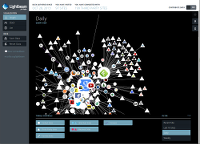
The first visualization of this data (and the only option in the Collusion-branded release) was a connected graph, with edges connecting the domains that a user has intentionally visited to all of the tracker domains that come along for the ride. Not only does that visualization immediately show which sites are the worst third-party tracking offenders, but it also reveals how many independent sites are sending data back to the same tracking service. This is an educational experience; most users are aware that large web service companies like Google and Facebook do web tracking, but seeing the full list of third-party, business-to-business web-tracking sites without household names is another thing altogether.
The graph is updated in real time, which makes for interesting (and arguably creepy) viewing in a separate window while one goes about the day's surfing. For example, over the past 48 hours, Lightbeam indicates that I have visited 94 sites, which have in turn collectively reached out to 177 third-party sites. Not all of those third-party sites are trackers, of course: those that are known to be tracking services are rendered as blue-outlined nodes, while others are rendered with white outlines. The graph shows visited sites as circles and third-party sites as triangles.
Interested users should note, though, that Lightbeam is still on the buggy side; the project's GitHub issue tracker indicates that quite a few users are encountering compatibility problems with other extensions—particularly those that also deal with third-party web tracking or privacy protection. There also appear to be several Firefox privacy preference settings that break Lightbeam. Ironically, of course, the users most interested in Lightbeam are likely to also be the most interested in tweaking privacy settings and in installing other web-tracking countermeasures, so these unresolved issues greatly impact Lightbeam's usefulness.
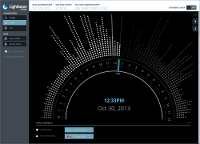
When it does work, the graph visualization allows one to focus in on each individual site, which shuffles around the graph connections so that the site of interest is in the center. Clicking on a node also opens a side pane showing the server location and the list of third-party sites that have been contacted. While the graph is revealing from a big-picture perspective, it is also not necessarily the easiest way to study in depth. Luckily, Lightbeam offers two other views on the same data. The "clock" provides a time-based look at the visits and third-party connections made, and there is also a straightforward list.
Users can also save the extension's current data locally, or reset it to begin a new capture session. That capability would be most useful to do something like compare the effect that changing the "Do Not Track" preference has on third-party trackers, but in my tests enabling the "Do Not Track" setting was one of the preferences that stopped Lightbeam from working altogether.
Spies like us
Better visualization features are nice, but arguably the biggest change in the revamped extension is the fact that Lightbeam users can opt-in to send their data to Mozilla. That might sound a tad oxymoronic, but Mozilla insists that the data collected from users will be anonymized and will only be published in aggregate. For instance, only the domain and subdomain of visited sites are recorded, not the path component of URLs, so in most cases usernames and other personally-indentifiable data will not be included.
In September 2012, Mozilla's David Ascher wrote
about the data-collection effort, saying that it would look at the
" There indeed may be a lot about third-party tracking (both
commercial tracking services and tracking that is performed
surreptitiously) that site owners in general are generally in the dark
about. Still, it would be nice to have more detail available about
exactly what the data collection effort at Mozilla will look like before
opting in to it. In the meantime, though, Lightbeam definitely does
"different kinds of uses of shared third-party HTTP
requests
", so that users can better understand what types of
request are in their interest and which are not. He also said that
Mozilla intended to use the data to work with site publishers. The
blog post announcing the October Lightbeam release followed up on this
idea, albeit with few specifics. The post says only that "
Once
the open data set has time to mature, we’ll continue to explore how
publishers can benefit from additional insights into the interaction
of third parties on their sites.
"
pull back the curtain
" (as the blog post puts it) on web
tracking for individual users. Hopefully as Mozilla pursues a broader
effort, the results will be enlightening for users of the web in
general—most of whom know that "web tracking" exists in some
form, but for whom its full extents and methods remain a mystery.